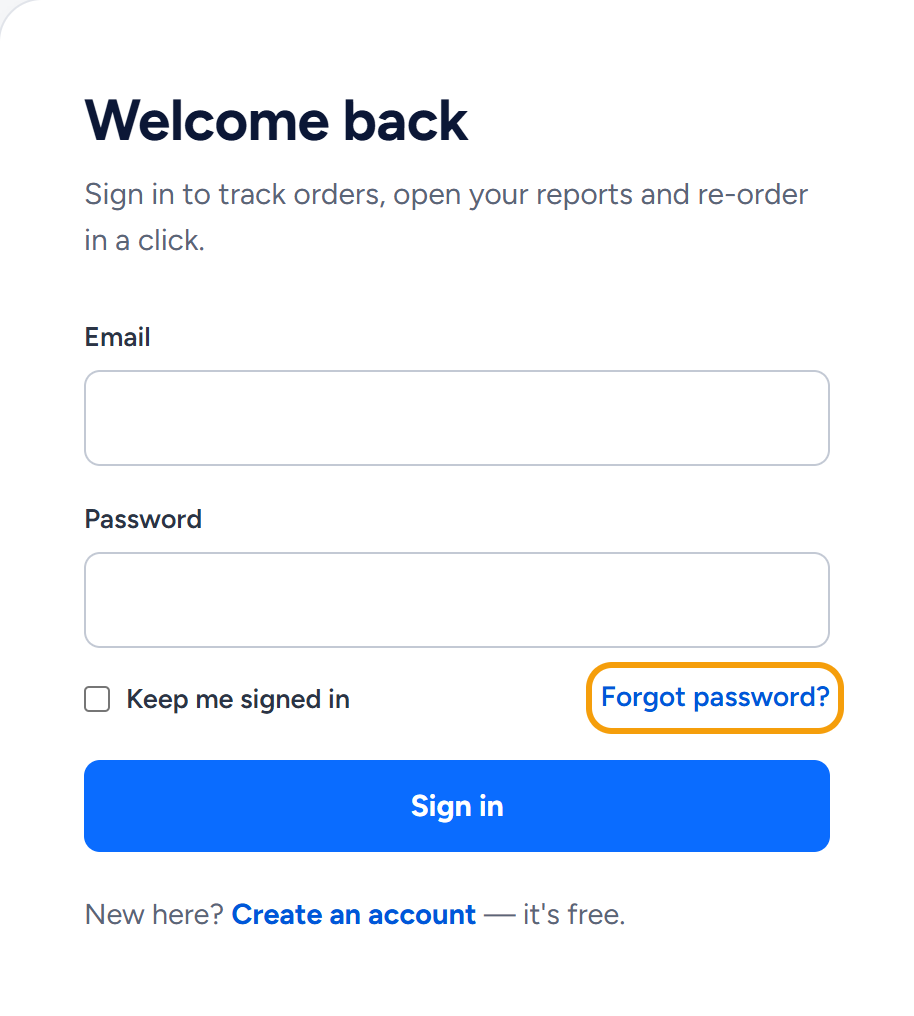
Click Forgot password? on the sign-in page and enter the email address of your account. We email you a link that works for 60 minutes, and it opens a page where you choose a new password.
Ask for a reset link
- Click Sign in at the top of wannaseo.com (on a phone, open Menu first).
- Click Forgot password?, next to Keep me signed in.
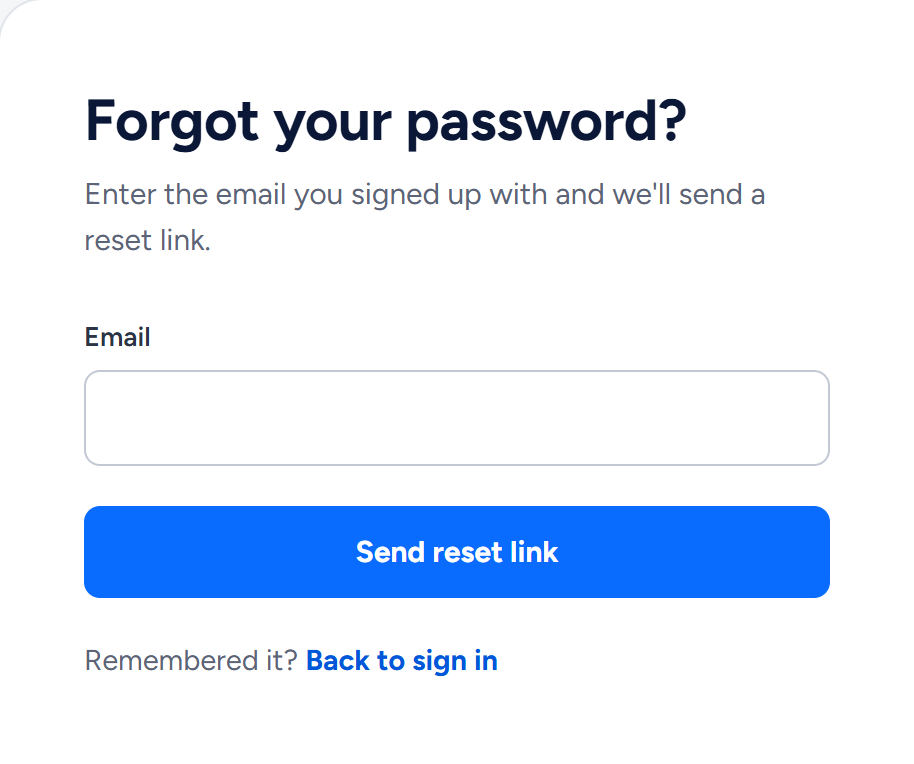
- Type the email address you signed up with and click Send reset link. A security check runs in the background first, so the button may wait a moment, and now and then it asks you to tick a box.
The page then says: "If that email has an account here, we have sent a reset link. Check your inbox." It shows this for every address, so nobody can use the form to find out who has an account.
Use the link within 60 minutes
The email is called Reset your WannaSEO password and comes from WannaSEO (hello@wannaseo.com). Click Reset password in it. If the button does nothing, copy the address printed near the bottom of the email into your browser.
- The link works for 60 minutes, and only once.
- If you ask for more than one link, only the newest works.
- Did not ask for it? Ignore the email. Your password stays as it is.
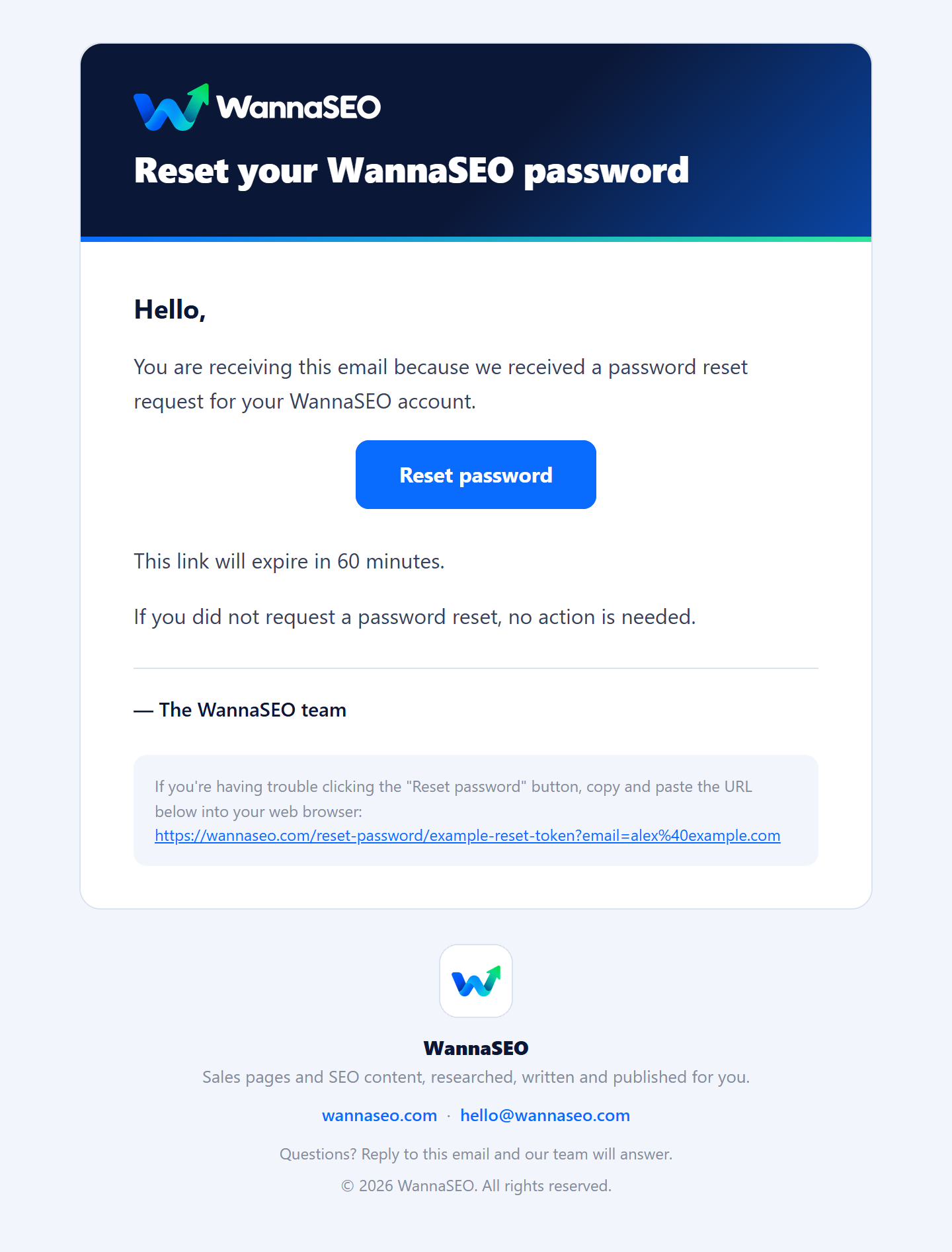
An example email. Your link carries your own address.
Choose a new password
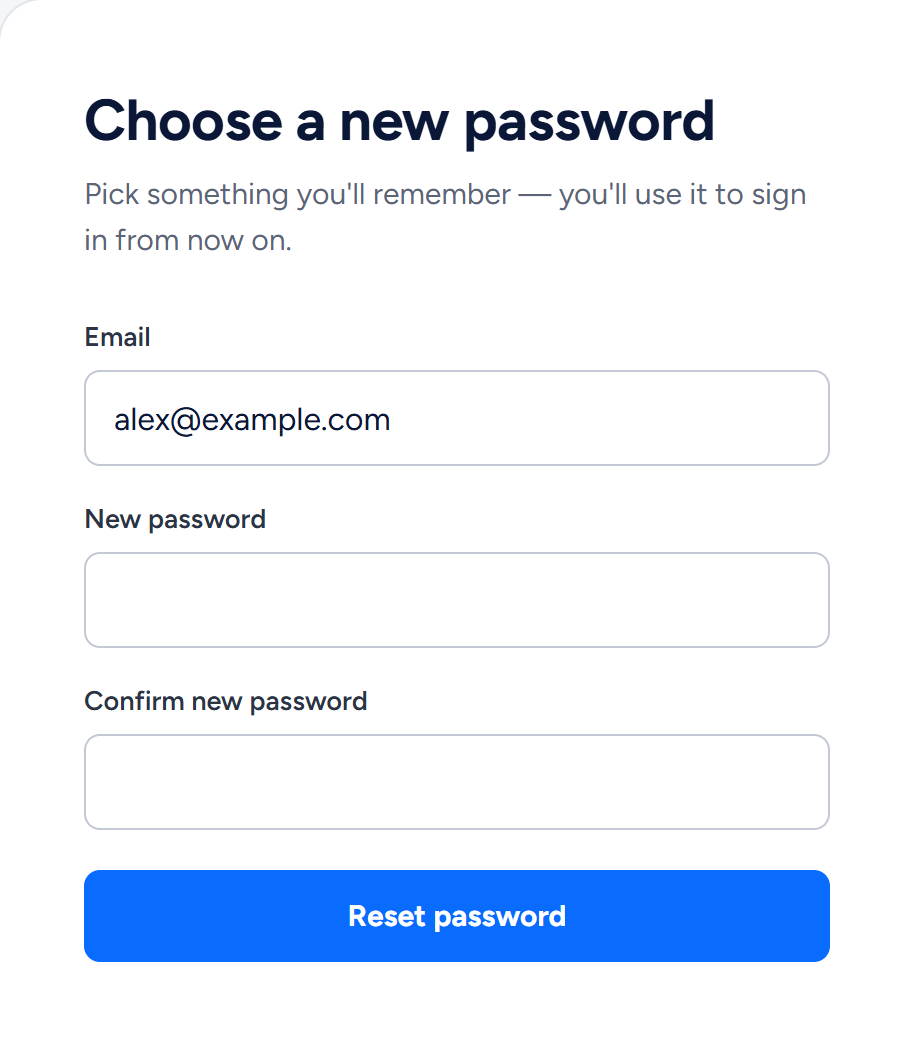
- The link opens Choose a new password with your email already filled in.
- Type a new password of at least 8 characters, then type it again under Confirm new password.
- Click Reset password.
You return to the sign-in page with "Your password has been reset — please sign in." Sign in with the new password.
If the page says "This password reset token is invalid.", the link has expired, has already been used, or a newer link has replaced it. Ask for a new one.
No email arrived?
- Give it a few minutes, then look in your spam, junk or promotions folder for an email from WannaSEO (hello@wannaseo.com).
- Check that you typed the address you signed up with. Ordering without an account does not create one, so an address you only ordered with has no password to reset. Create an account with it instead.
- Wait at least a minute before you ask again. A second request within the same minute sends nothing. One address also gets only a few reset emails a day, and fewer if you have never confirmed it.
- If sign-in says "Too many attempts", you can still reset your password. Sign in once the minutes it shows have passed.
- Still nothing? Write to hello@wannaseo.com from your account's email address, or use the chat. Never send us your password.
Change your password while signed in
If you know your current password:
- Open Profile in the account menu.
- Under Change password, type your current password, then the new one twice. It needs at least 8 characters.
- Click Change password.
You stay signed in, and the page confirms "Your password is changed."
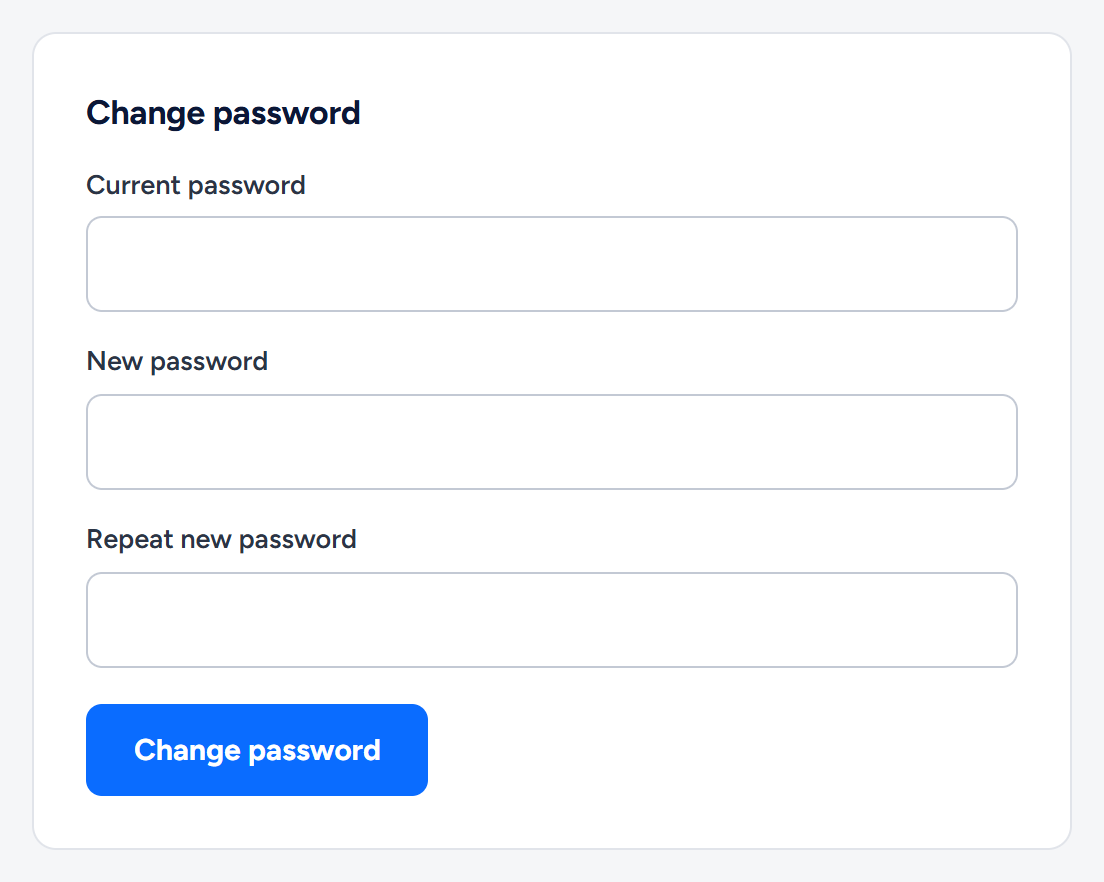
From an example account.
Related articles
- How do I create an account and sign in?
- What is in my WannaSEO account?
- Which emails will I get from WannaSEO, and what if one does not arrive?
- How to contact us
Still stuck? Write to hello@wannaseo.com or use the chat on any page of wannaseo.com. A person replies within about one business day.