Press Apply on the launch bonus row in step 3 of any order form, and LAUNCH10 takes 10% off your first order. The offer runs until 31 December 2026, and you see the lower total before you pay. If you have used your two free starts, you already get 10% off every order with no code (see the last section).
LAUNCH10: 10% off a first order, until 31 December 2026
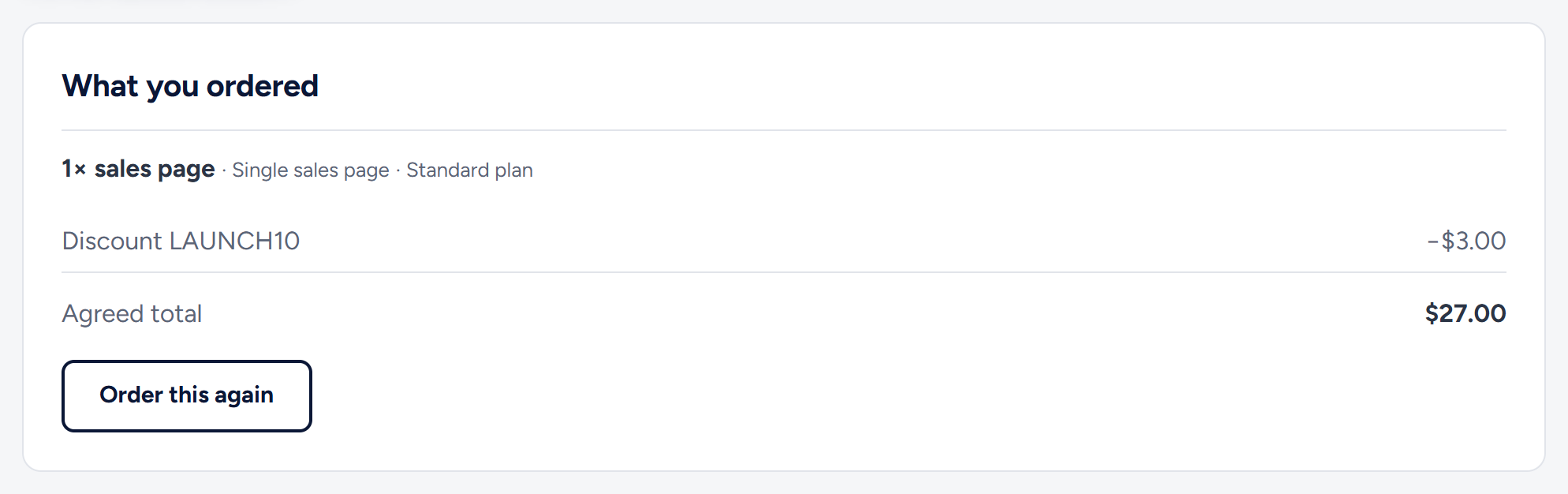
- The 10% comes off the whole order: the pack you choose plus any paid service level. For example, a $30 sales page costs $27, a 12-article pack ($135) costs $121.50, and a sales page with Pro ($30 + $69) costs $89.10.
- It works on every order form: sales pages, SEO articles, bundles and the dedicated blog.
- It ends at the end of 31 December 2026 (UTC).
Apply it in one click
- Open the order form on the page of the service you want.
- Choose what you need (step 1) and your service level (step 2), pressing Continue after each.
- In step 3, find the row "Launch bonus: 10% off your first order" and press Apply.
- The button changes to Applied ✓, and Your total shows the old price crossed out next to the new one.
- Fill in your name and email, then press Review & pay.
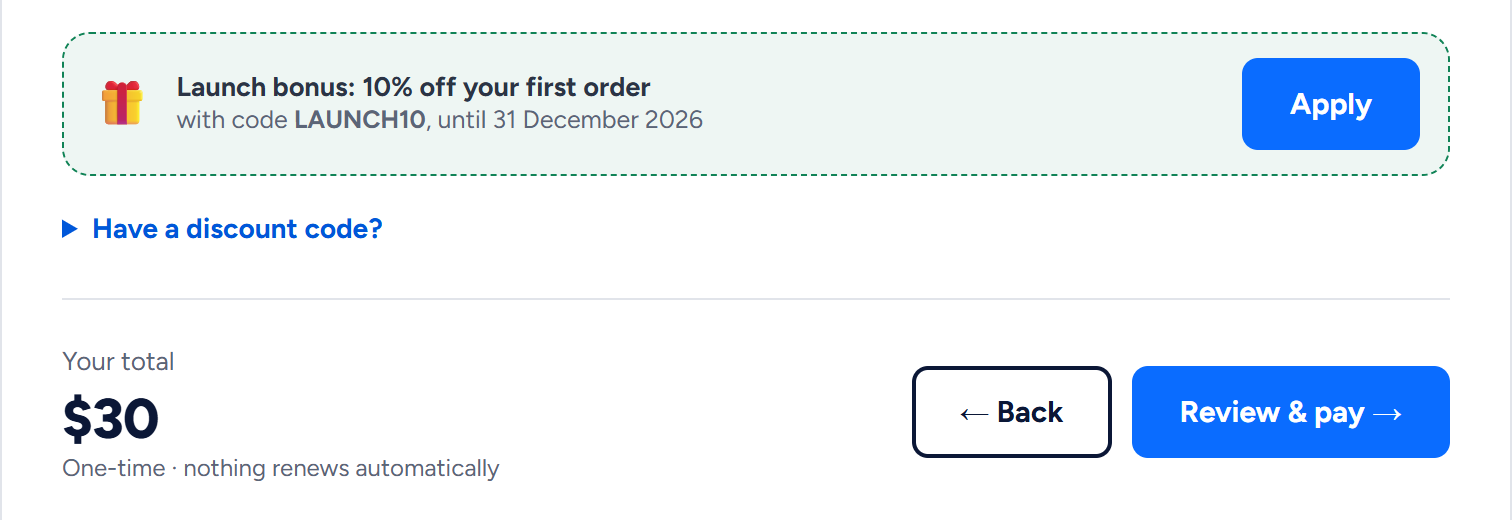
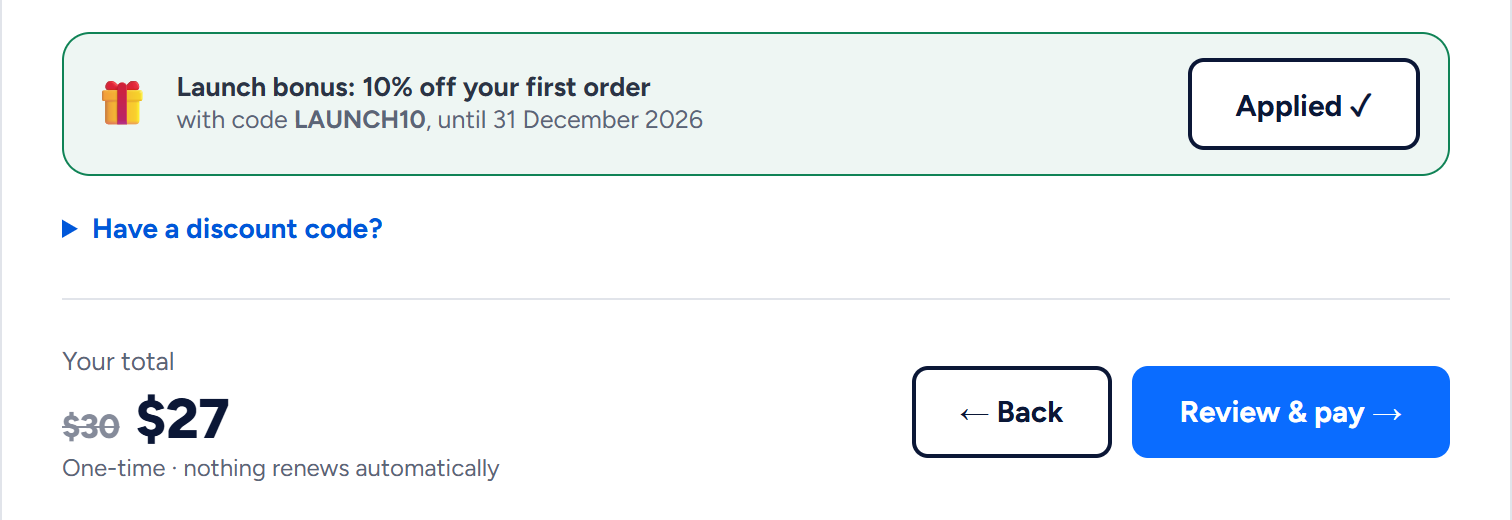
You do not need to type anything: Apply puts LAUNCH10 in the discount code box for you.
Typing another code
If we gave you a different code:
- In step 3, click Have a discount code? to open the code box.
- Type the code. Capital letters and spaces do not matter.
- Press Review & pay. A code you type is checked at this point, so the total on the form does not change while you type. The next page shows the discount.
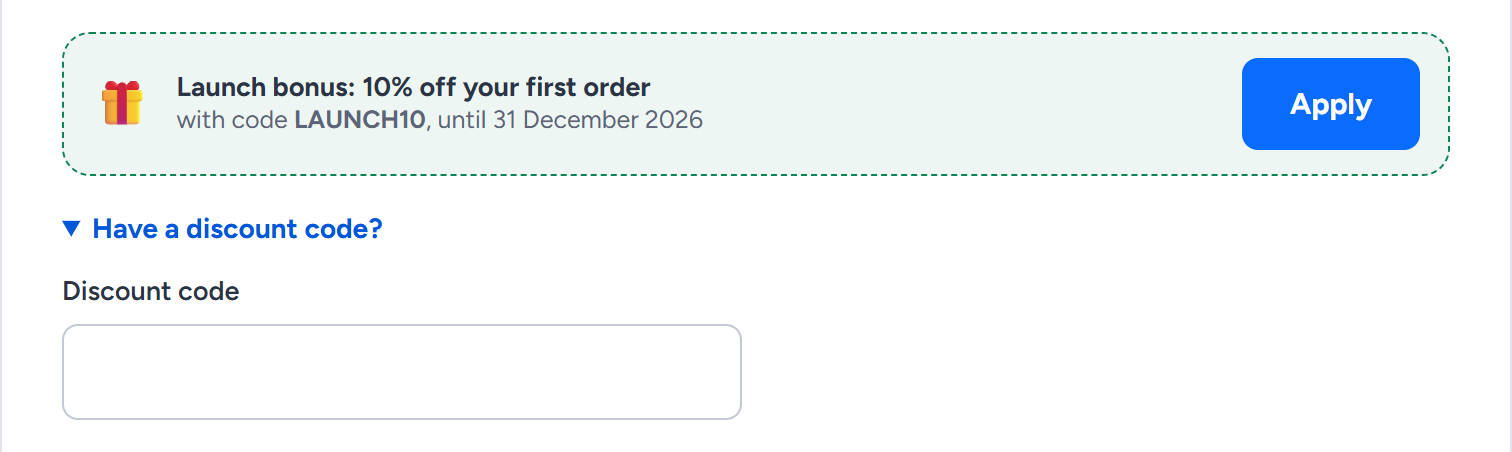
If the code cannot be used, the form comes back with the reason under the box, and no order is saved. The reasons are "not valid", "expired", "not active yet", "used up" or "for a first order only". Change or delete the code and press Review & pay again.
If you came from a link that carries a code, that code is already in the box when you reach the form, and the launch bonus row does not appear. To use LAUNCH10 instead, type it over the code in the box.
Once you can no longer use LAUNCH10 (you have placed a paid order, or the form just refused it), the site stops offering it: the launch bonus row and the "Plus 10% off" line disappear.
What counts as a first order
LAUNCH10 works when the email address on the order (and your account, if you are signed in) has:
- no paid order with us yet, and
- no earlier order that used a discount code, paid or not, unless that order was cancelled.
Your free starts do not count as orders, and neither does an order you placed without a code and never paid.
If you placed an order with LAUNCH10 and have not paid it yet, pay that order with its Pay now button instead of ordering again, because a second order cannot use the code. To change something in it, reply to its confirmation email before you pay.
Where you see the discount
- On the order form, as the crossed-out total.
- On the confirmation page after Review & pay: a "Discount LAUNCH10" line above the total, and the Pay now button shows the lower amount.
- In the "We received your order" email, with the discount and the total.
- At the checkout, which charges the discounted total.
- In your account, on the order's page under My orders.
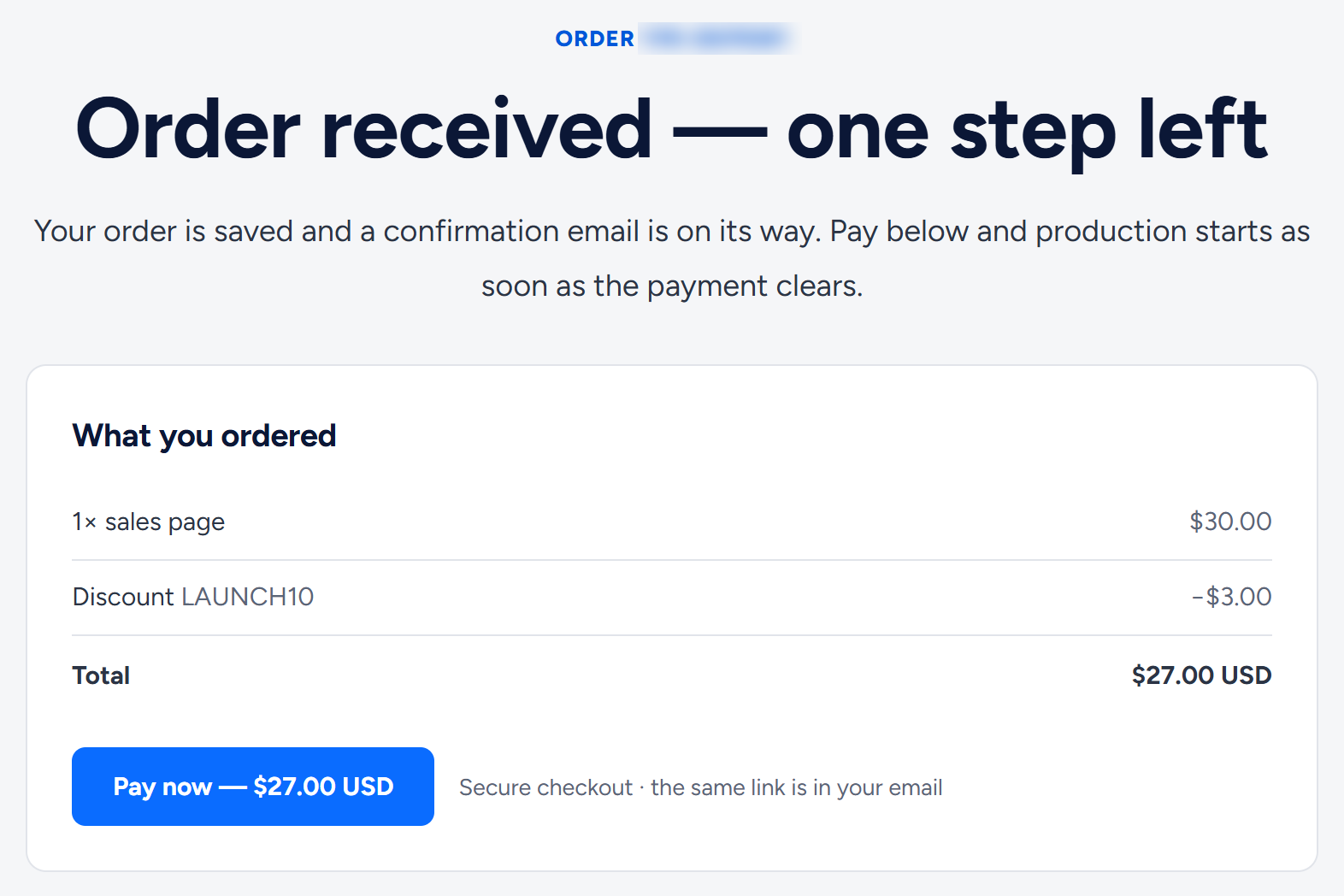
One code per order
The form has one code box, so each order takes one code, and codes do not combine. A code does not combine with the 10% loyalty discount either (see the next section). If you have two codes, use the one that saves more. Whatever is in the box when you press Review & pay is the code that counts: if you press Apply and then type another code over it, the typed code replaces LAUNCH10.
After your free starts
After both of your free starts are confirmed, every order you place is 10% off automatically, with no code to type. Order with the same email address you used for them, or while signed in to your account.
- Discounts never combine. If you also use a code, your order gets whichever saves more: the 10% or the code. On a tie the 10% applies, and your code is not used up.
- The launch bonus row does not appear when the form recognises you (you are signed in, or on a browser where you clicked one of your free-start confirmation links), because your 10% already saves as much as LAUNCH10.
- A code that cannot be used does not stop your order. LAUNCH10, for example, is for a first order only: if you type it after a paid order, the code is dropped and your 10% applies.
- Where you see it: once the form recognises you, the total shows "Includes your 10% loyalty discount". The confirmation page, your "We received your order" email and the order's page in your account show "Discount Loyalty 10%".
More in How many free starts can I have, and how does the 10% returning-client discount work?.
Related articles
- How do I place an order? The order form, step by step
- Prices, packs and bundles in US dollars
- Service levels: Standard, Pro and Ultimate
- How do I pay, and what if a payment does not go through?
- The free start: how to claim one free sales page and article
Still have a question? Reply to any of our emails, write to hello@wannaseo.com or use the chat on any page. A person replies within about one business day.