Save your brand once in a free account, pick it under Report brand when you order, and the delivery report carries your logo, colours and sign-off instead of ours. White-label reports are part of the Ultimate service level, which is free on orders placed until 31 December 2026. On any other paid order you can add one later for $10, from the order's Report link page in your account.
What white-label means here
- The delivery report, as a web page and as a PDF, shows your brand name, logo, colours and signature, with no mention of WannaSEO.
- We never contact your clients. Our order emails go to you, from WannaSEO, so send your client the report link, not our emails.
- A report link you share opens on clients.wannaseo.com, in your brand. With a report domain, it opens on your own address instead, such as
reports.youragency.com.
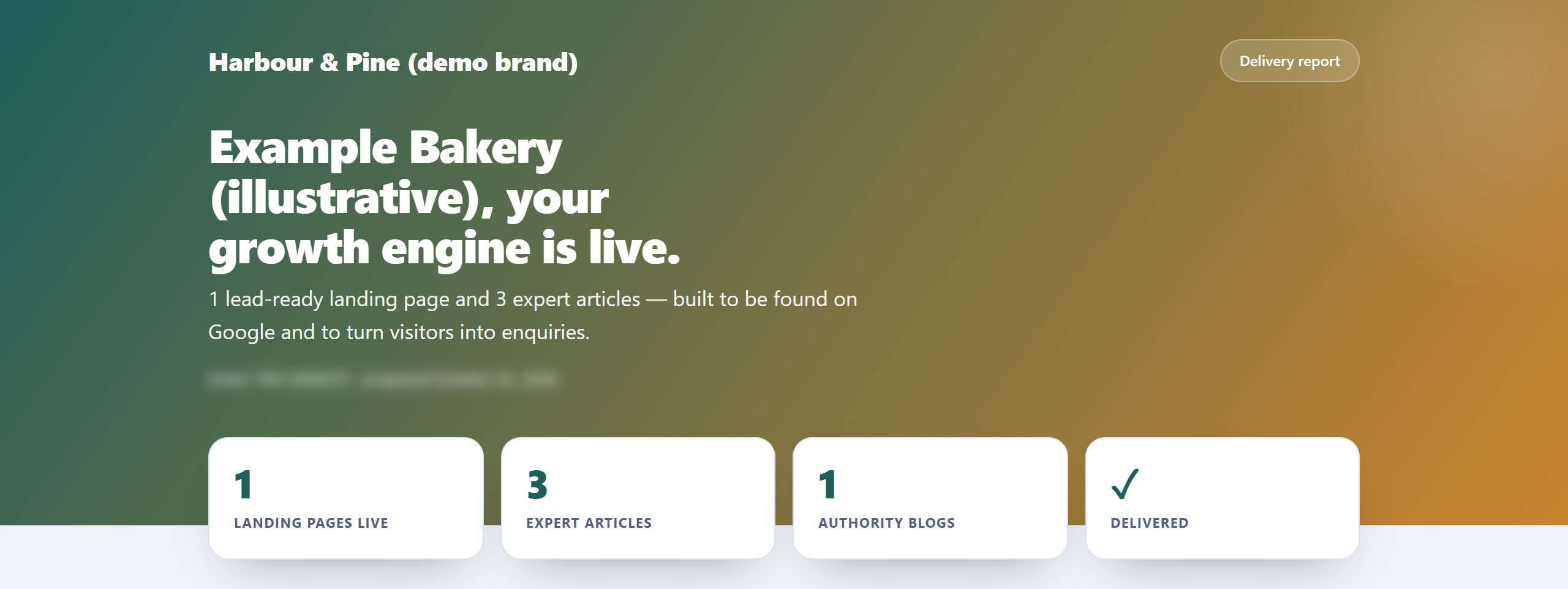
It comes with Ultimate, free until 31 December 2026
Ultimate is already selected in step 2 of the order form, "Your service level". Keep it selected. Ultimate normally adds $109 to $149 to an order, depending on the service; on orders placed until 31 December 2026 it adds nothing.
Step 1: a free account
Use Sign in, then Create an account. You need your name, email and a password. We then send "Confirm your WannaSEO email". Confirming is not required, but it means password resets always reach you.
Step 2: a brand kit
- In your account, open Brand kits and press + Add a brand.
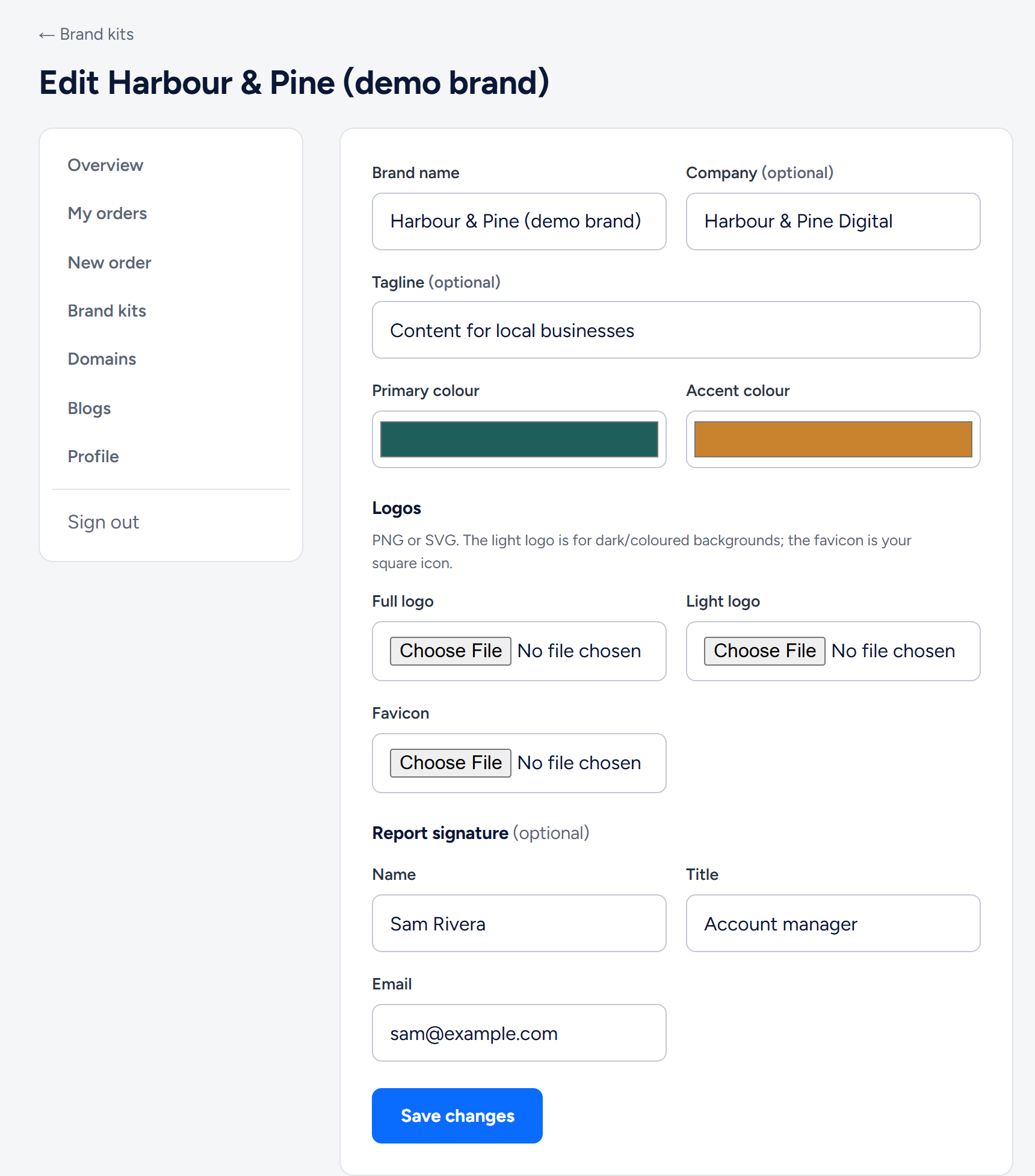
- Enter the brand name, and optionally a company and tagline.
- Pick a primary colour and an accent colour.
- Upload your logos as PNG, JPG or WebP files of up to 2 MB each (save an SVG logo as a PNG first): a full logo, a light logo for dark or coloured backgrounds, and a favicon. The report header uses the light logo; without one, it shows your brand name in white.
- Optionally add a report signature (name, title, email) for the foot of the report.
- Press Save brand.
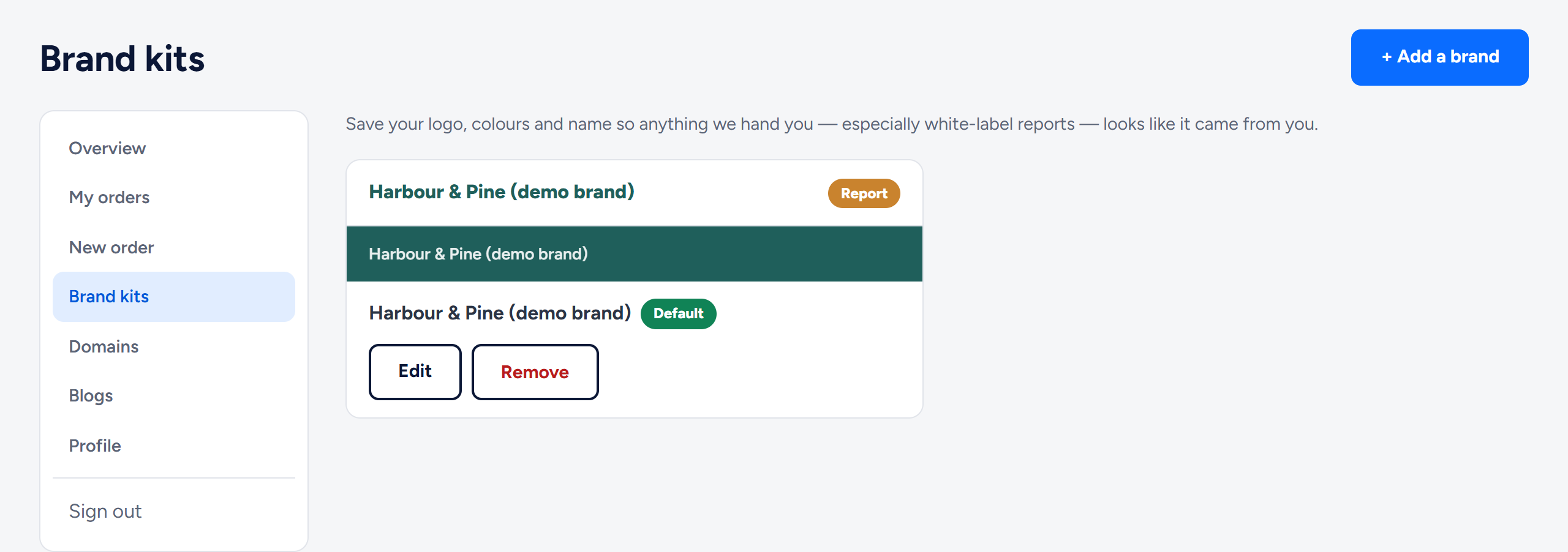
Your first kit becomes the default. With several kits, Make default changes which one is preselected.
Step 3: "Report brand" in the order form
- Sign in before you order. Step 3 of the form has a Sign in link.
- In step 3, "Where do we send it?", Report brand shows your default kit. Pick another kit, or "WannaSEO branding".
- Press Review & pay as usual.
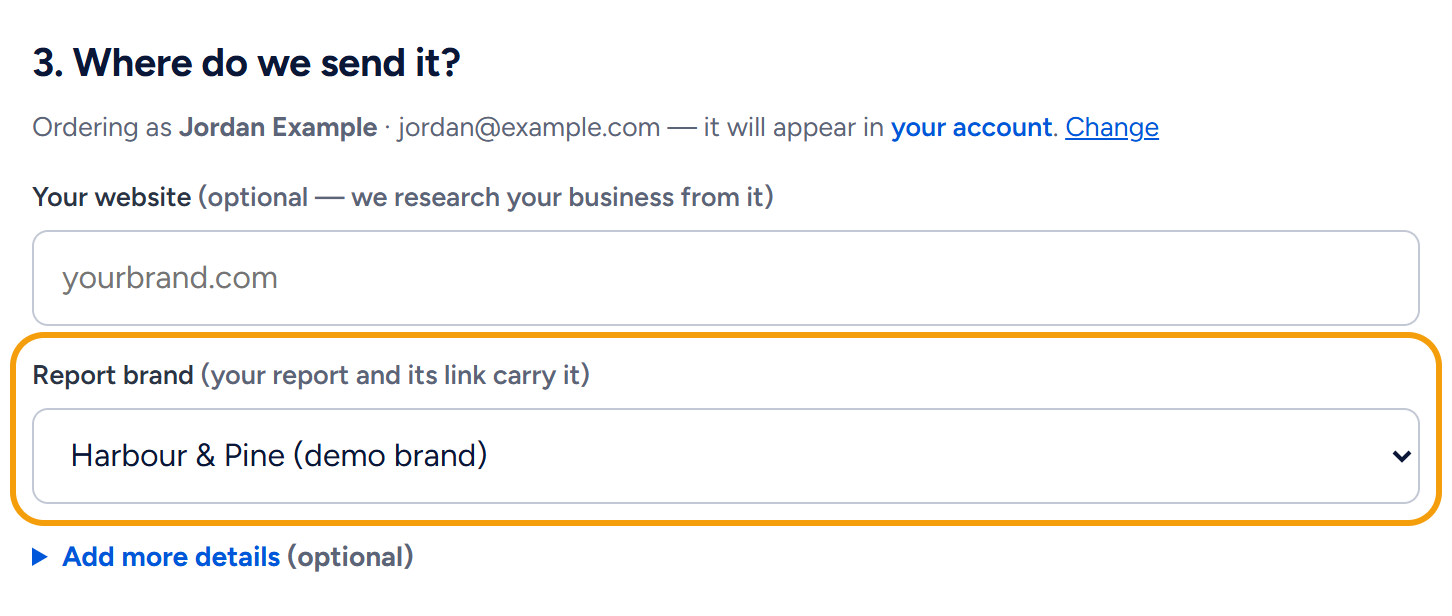
Set up the kit before you order: the brand is chosen in the form, and it is switched off when you order as a guest.
Optional: reports on your own address
- In your account, open Domains and press + Connect a domain under Report domains.
- Type a subdomain you own, such as
reports.youragency.com, choose a kit under Show the reports in, and press Continue. - Add the CNAME record shown on the card at your domain provider (on Cloudflare, DNS only), then press Check now.
- The card shows "Waiting On DNS" until the record is found, then "Setting Up Hosting" while we add the address and its HTTPS certificate (usually within one business day), then "Live".
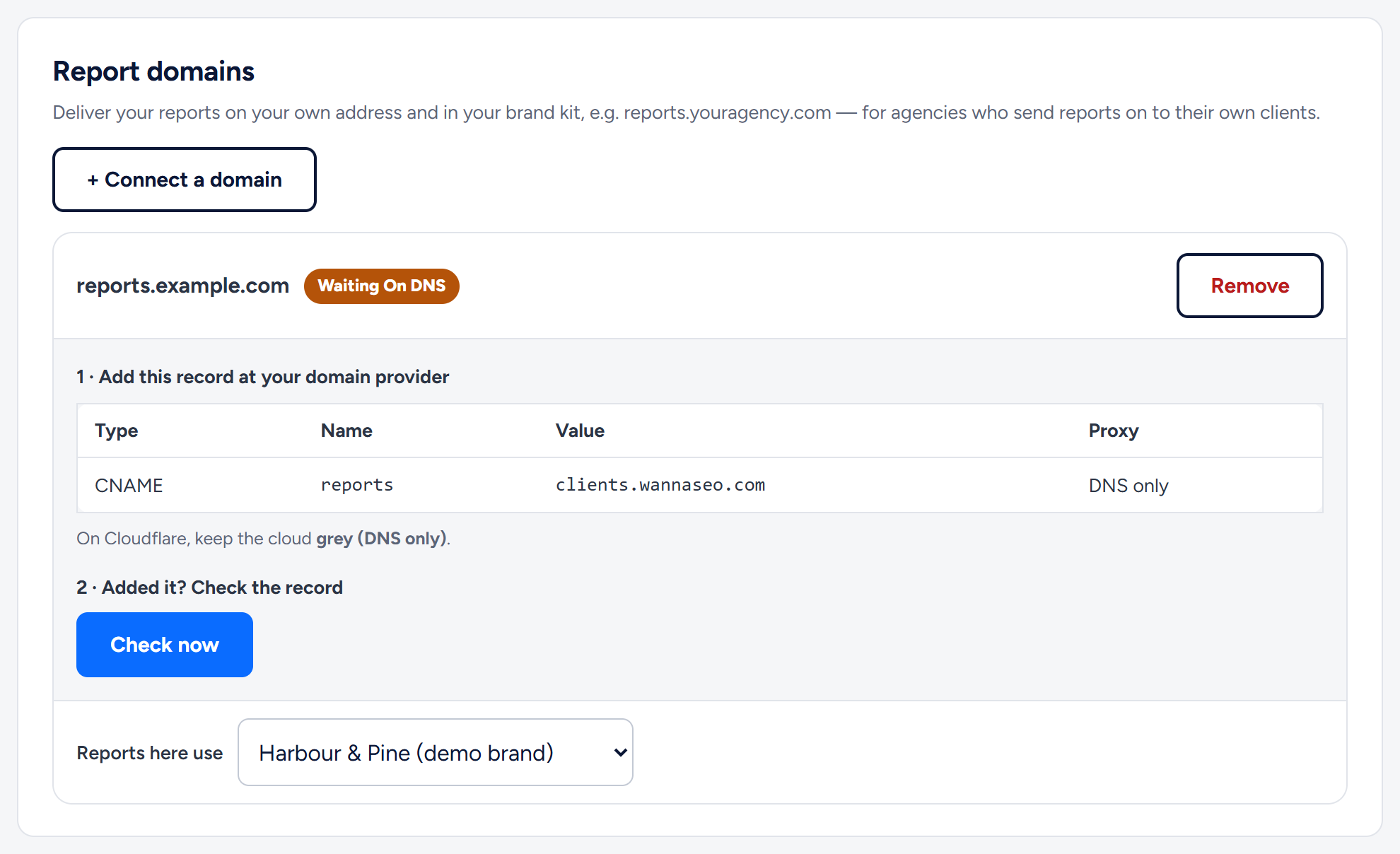
Reports here use ties the address to a kit: reports for orders placed with that kit open there. Each report always shows the kit chosen on its order.
Sharing reports with your client
- For an order in your brand with a live report domain, the View your delivery report button in "Your order is delivered" opens on your address, so you can forward it.
- Otherwise the button opens the order in your account. Press Create a share link: the order's Report link page opens with your link made. Press Copy; the page shows the same link whenever you come back.
- Download PDF gives the same report as a PDF in your brand. Report links do not expire.
Reselling at your own prices, and packs for volume
You buy at our prices and charge your clients whatever you like; we never see your pricing. Packs lower the price per piece:
| Pack | Price |
|---|---|
| Agency article pack, 120 articles | $1,260 ($10.50 each) |
| Agency page pack, 40 sales pages | $840 ($21 each) |
| Agency bundle, 120 articles + 40 sales pages | $2,100 |
Smaller packs are on wannaseo.com/pricing. To judge the work first, request a free white-label sample article at wannaseo.com/offer/agencies: one per agency, 15 granted a week, no card.
Related articles
- How does my agency get a free white-label sample article?
- Connecting a subdomain of your own with one CNAME record
- Service levels: Standard, Pro and Ultimate
- The delivery report: web page, PDF and list of links
Questions? Write to hello@wannaseo.com or use the chat on any page.